Switch from Rise without rebuilding your courses
Rise 360 is a capable tool, and plenty of good training has been built in it. If you have outgrown it, Mindsmith imports your Rise SCORM exports and turns them into editable interactive lessons, so choosing an alternative to Articulate Rise does not mean starting your library over.
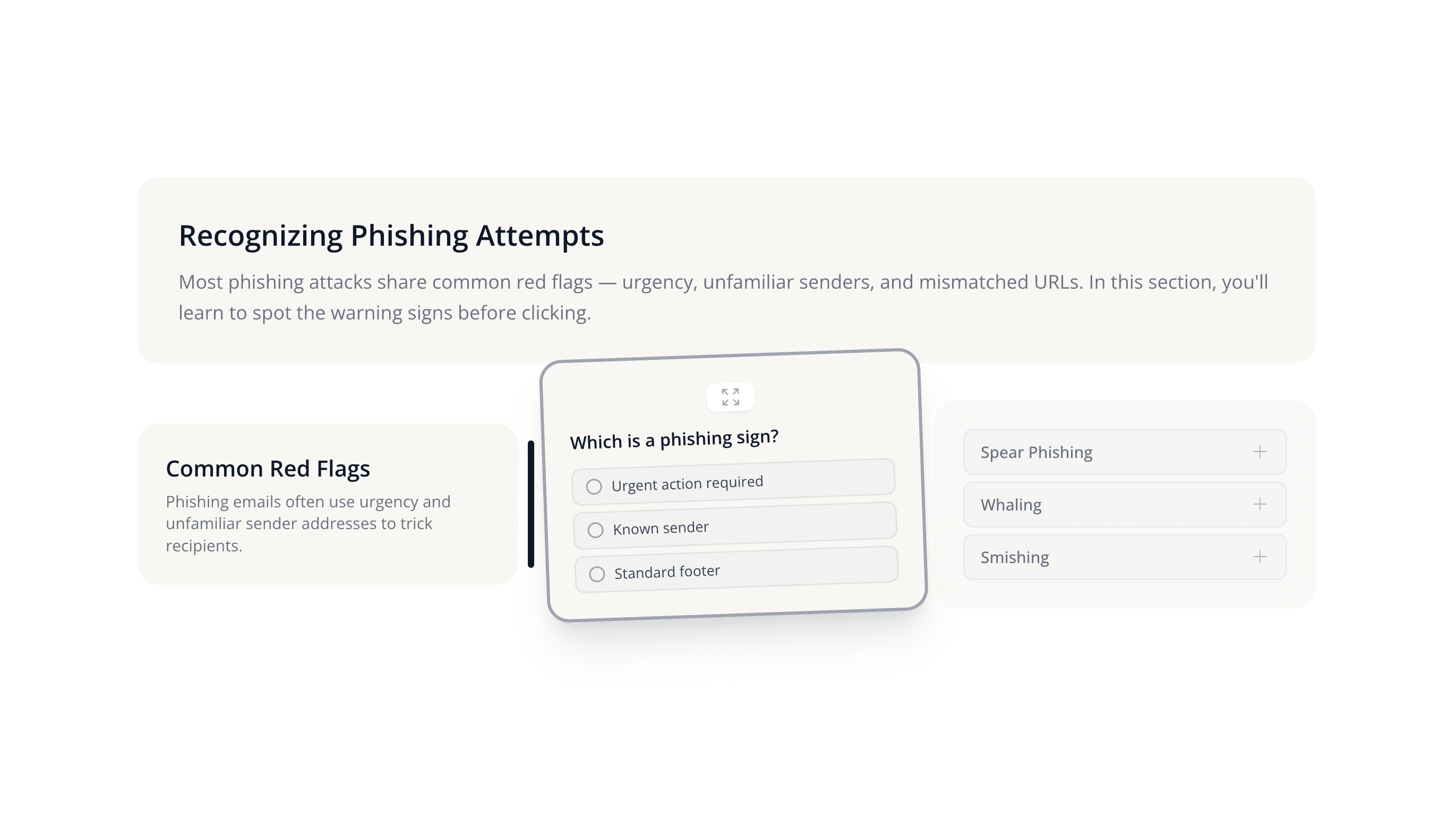
Join 16,000+ eLearning Designers








A good tool, and a different set of tradeoffs
We will start with what Rise gets right. Articulate 360 is an industry-leading suite, and Rise 360's responsive templates make it genuinely easy to turn a document into a tidy module that reads well on a phone. That is why it shows up in so much onboarding and compliance training, and if it is working for your team that is a fair reason to stay put.
We built Mindsmith on a different bet. Instead of filling in templates, you get a tiled canvas with more than 30 interactive elements you place where you want them, and an AI that drafts and edits lessons in place rather than handing you text to paste somewhere else. People spend more than 200,000 hours learning inside Mindsmith every month, which gives us a lot of signal about what learners finish and what they skim.
Most people shopping for an Articulate 360 alternative are really shopping for a Rise replacement, because Rise is where their courses already live. That makes migration the deciding factor more often than any feature list, so it is where we spent the most engineering time and where the rest of this page starts.
Why teams go looking for an Articulate Rise alternative
We hear the same short list of reasons from teams evaluating a move. These are their words rather than our verdict on Rise, and none of them will be true for everyone.
Design flexibility
The thing we hear most often is that templates eventually feel like a ceiling. Once a team knows what it wants a lesson to do, a fixed block structure starts working against it. In Mindsmith you place tiles on a canvas, so the layout follows the lesson.
Cost
Articulate 360 is a robust suite, and teams tell us its price can be steep, especially for smaller teams or teams that only need a few of its parts. Our plans are published, and the free plan is enough to build a real lesson and judge for yourself.
Interface age
Some teams say the experience feels dated, for learners and for the people authoring. That is a subjective call, so the honest suggestion is to build the same lesson in both and see which editor you would rather spend a Thursday afternoon in.
AI depth
Teams arrive wanting AI that does more than write a paragraph on request. The Mindsmith agent drafts full lessons from your documents, rewrites sections in place, checks reading level, grades open-ended answers, and writes narration, all inside the course you are editing.
Collaboration
Growing teams want more than one person in a course at once. Mindsmith has multi-user editing with live cursors, comments attached to the content itself, version history, and role-based permissions.
Getting content into the LMS
Integration friction comes up constantly. Mindsmith exports SCORM 1.2, SCORM 2004, and xAPI, or connects over LTI. With dynamic SCORM, a course you already uploaded picks up later edits without another upload.
Your Rise courses come with you
This is the first thing people ask us, so it is the thing we built first. Export a lesson from Rise as SCORM, hand the file to Mindsmith, and you get back an editable Mindsmith course instead of a blank page.
- Convert a Rise SCORM export into a Mindsmith course 1:1, so nobody has to retype a lesson
- The imported course adopts the source accent color and fonts, so it looks right without manual restyling
- Quiz answers, image captions, text colors, background shading, matching exercises, and step-by-step blocks come through instead of being stripped
- Rise 360 Custom blocks import as rendered content rather than an unsupported placeholder
- Notes and charts import correctly from the Rise SCORM importer
- Rise step-by-step content lands on our process tile, where learners click through one step at a time
What about Storyline?
Storyline is a different animal, and the honest answer is more qualified. Storyline 360 is built for deep customization and realistic simulations, and it stays the stronger tool for that work. Our Storyline import behaves less like a converter and more like a reader: the Mindsmith Agent interprets the source archive and rebuilds it as a lesson. It is open to every author, with no special account setting, but treat it as a head start rather than a clean 1:1 conversion.
On brand without waiting on a designer
Mindsmith's Smart Branding Engine sets your fonts, colors, page background, and logo once and applies them across every lesson, so nobody has to restyle module after module by hand. Imported Rise courses pick up the source accent color and fonts on the way in.
Learn more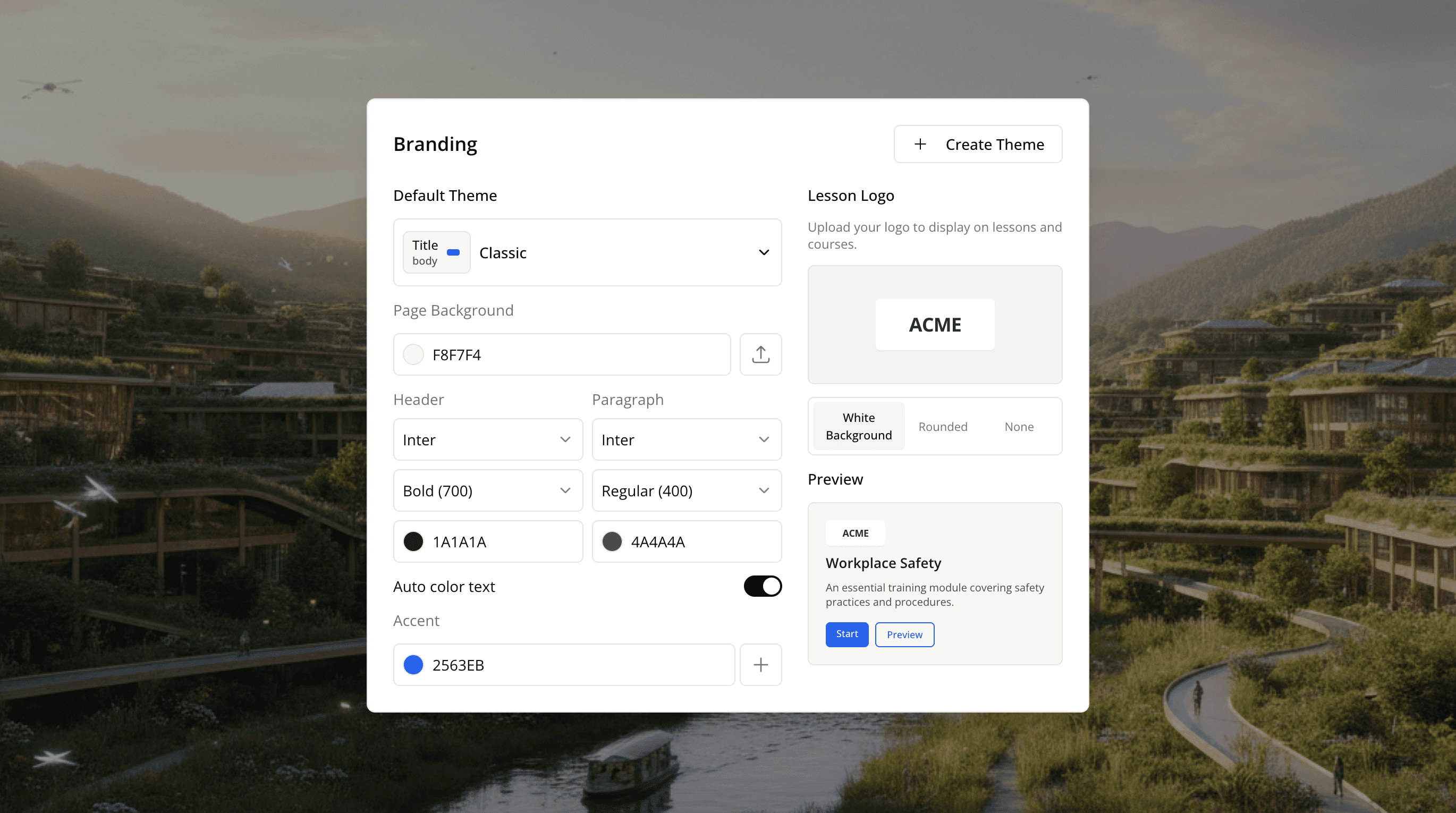
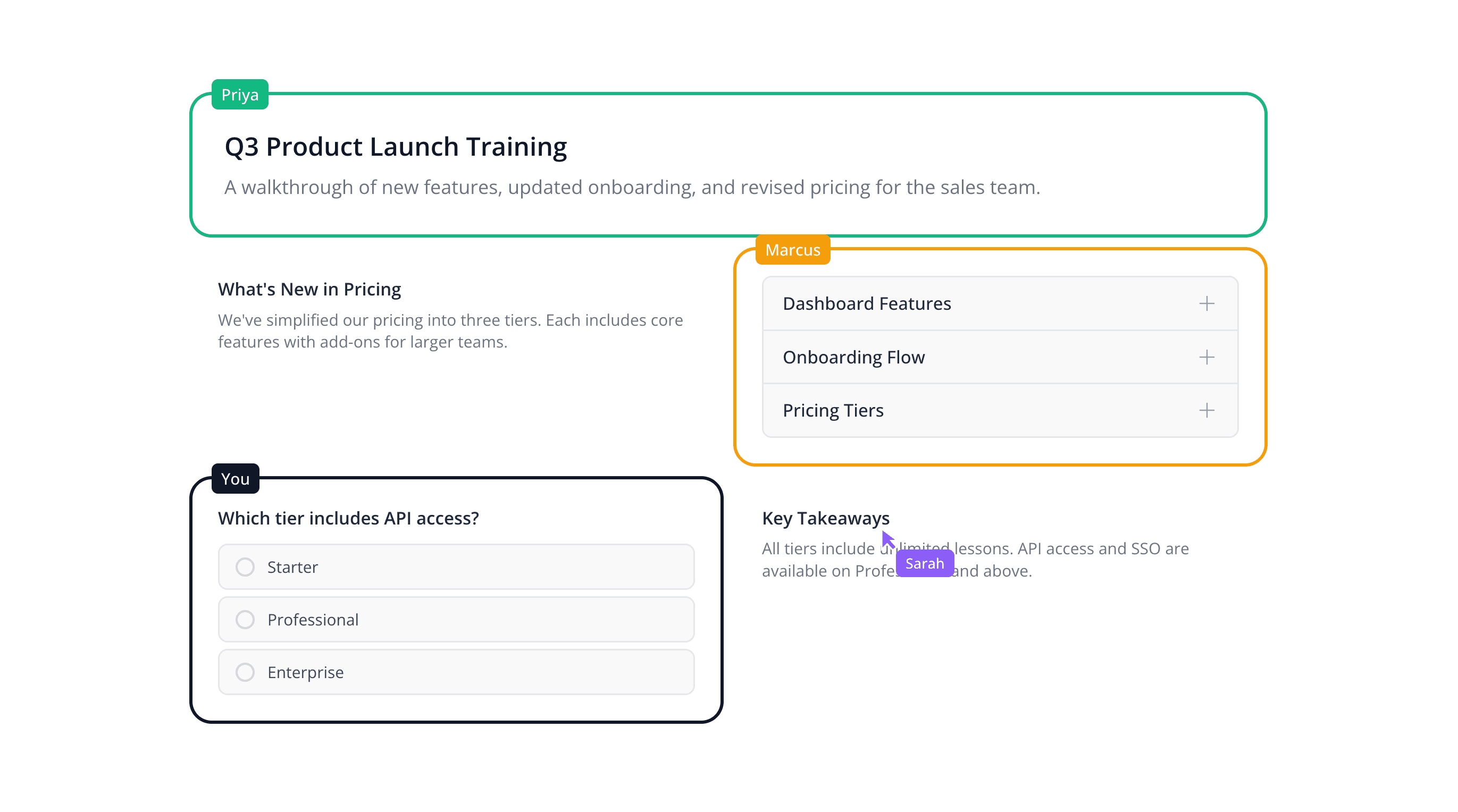
Two people in one course at the same time
Course building is rarely a solo job for long. In Mindsmith you see your collaborator's cursor, watch where they are typing, and see who is holding which tile. Comments sit on the content rather than in a separate thread, version history lets you walk a change back, and permissions decide who can publish.
- Multi-user editing with live cursors
- Comments attached directly to lesson content
- Version history and role-based permissions
Into your LMS, and still editable after it ships
Export SCORM 1.2, SCORM 2004, or xAPI for your LMS, or skip the LMS and share a link, embed the course, send it by email, generate a QR code, or publish it as a website. Dynamic SCORM means a package you already uploaded picks up your edits in place. One multilingual SCORM file carries every language you translated into.
Learn more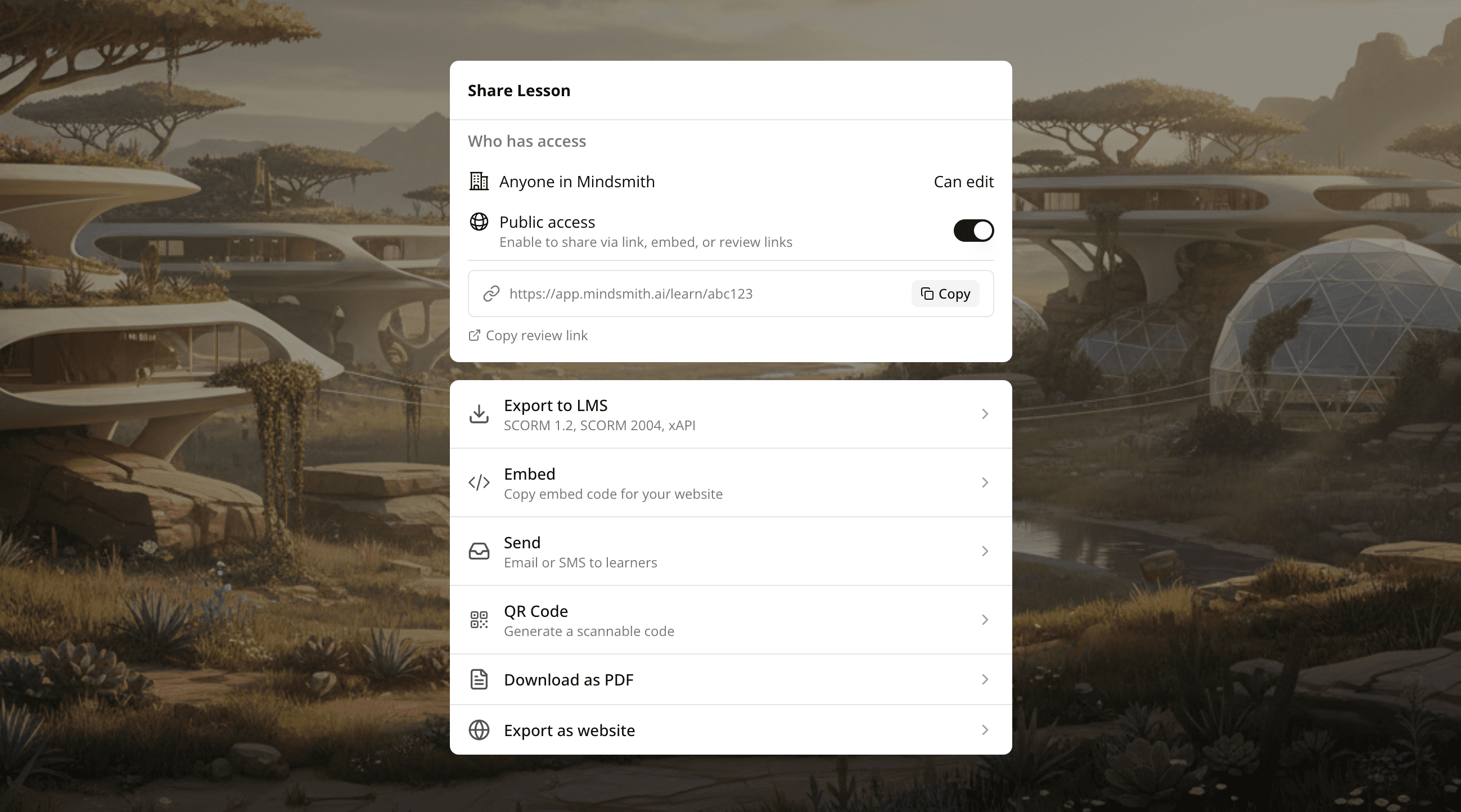
Where each tool is strong
We have kept this to rows we can point at a source for, and where Articulate is the better answer we say so.
| Capability | Mindsmith | Articulate 360 and Rise 360 |
|---|---|---|
| Authoring model | A tiled canvas with more than 30 interactive elements you place where you want them | Responsive templates that turn a document into a tidy, mobile-ready module quickly |
| Moving an existing Rise course | Import a Rise SCORM export and convert it 1:1, keeping the accent color, fonts, quiz answers, captions, matching exercises, and step-by-step blocks | Rise 360 is the native format |
| Standards and LMS delivery | SCORM 1.2, SCORM 2004, xAPI, and LTI, plus dynamic SCORM for updating a published course in place | Articulate 360 is documented as compatible with SCORM, AICC, and xAPI |
| Stakeholder review | Comments on the lesson content, alongside real-time co-authoring and version history | Review 360, included in Articulate 360, collects stakeholder comments directly on course content |
| Deep custom simulations | Branching scenarios, interactive video, and software simulations built from screen recordings | Storyline 360 is built for deep customization and realistic simulations, and stays the stronger choice for that work |
Also in Mindsmith
Our own capabilities, kept out of the table above because we cannot source the equivalent for anyone else's product.
- Real-time collaborative editing with live cursors
- AI grading of short-answer and open-ended responses
- One-click translation into 70+ languages, powered by DeepL
- A single multilingual SCORM file instead of one package per language
- AI narration with ElevenLabs and OpenAI voices
- Completion rates, scores, and per-learner engagement metrics
This summary reflects publicly available information as of July 2026, plus our own product as shipped. For current details on Articulate 360, Rise 360, Storyline 360, and Review 360, please refer to Articulate's official website.
Questions we get from Rise teams
Other ways to look at this
Trusted by leading
eLearning teams
“The biggest draw for me is the flexibility and scalability Mindsmith offers. It's something I've never seen before in a learning platform. This tool has significantly improved my workflow.”
Satarla
Miranda