
Crea eLearning que parece hecho por un equipo de diseño
El editor basado en tiles y la IA integrada de Mindsmith te ayudan a crear lecciones interactivas y pulidas, sin conocimientos de diseño ni herramientas complejas.
Utilizado por equipos en








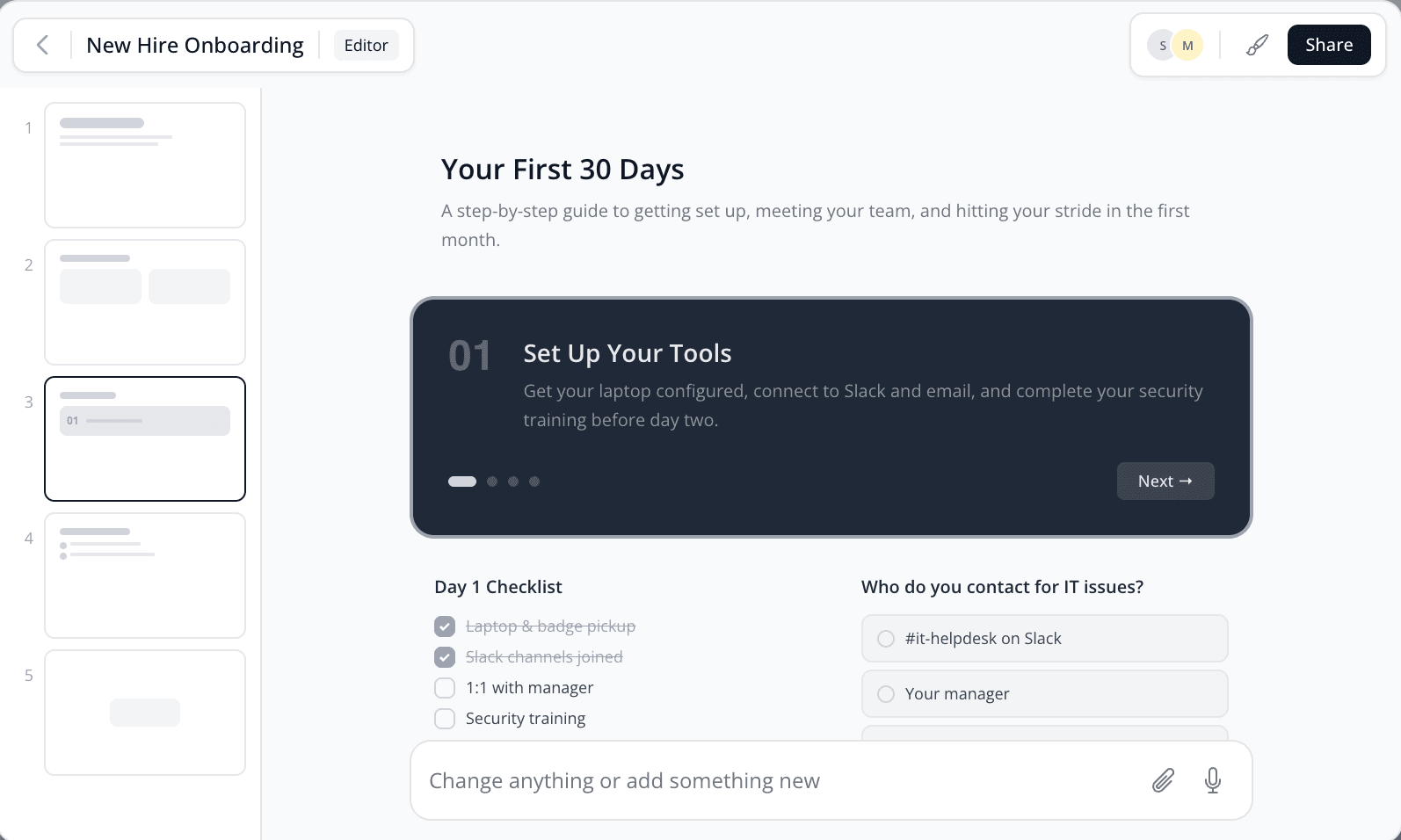
Software de eLearning construido en torno a la IA desde el primer tile
La mayoría del software de eLearning añade la IA a un editor de diapositivas diseñado hace décadas. Mindsmith funciona al revés: la IA que te ayuda a escribir, diseñar, calificar y traducir vive dentro del editor, no en un panel lateral que hay que ir a buscar. Dale un esquema, una presentación o un PDF de políticas y redacta una lección interactiva y con tu marca en minutos.
Todo lo que necesitas para crear un curso está en un mismo lugar: un editor basado en tiles, una biblioteca de más de 30 elementos interactivos y herramientas de curso que enlazan lecciones sueltas en rutas de aprendizaje completas. Un equipo de L&D de una sola persona y un grupo de formación global usan el mismo editor, ya sea para una sola lección o para un plan de estudios entero.
Todo funciona en el navegador, así que no hay nada que instalar ni versiones que controlar. Tu equipo edita en tiempo real y los estudiantes solo abren un enlace. Sin plugins, sin reproductor de escritorio.
Suficientemente estructurado para ir rápido. Suficientemente flexible para hacerlo tuyo.
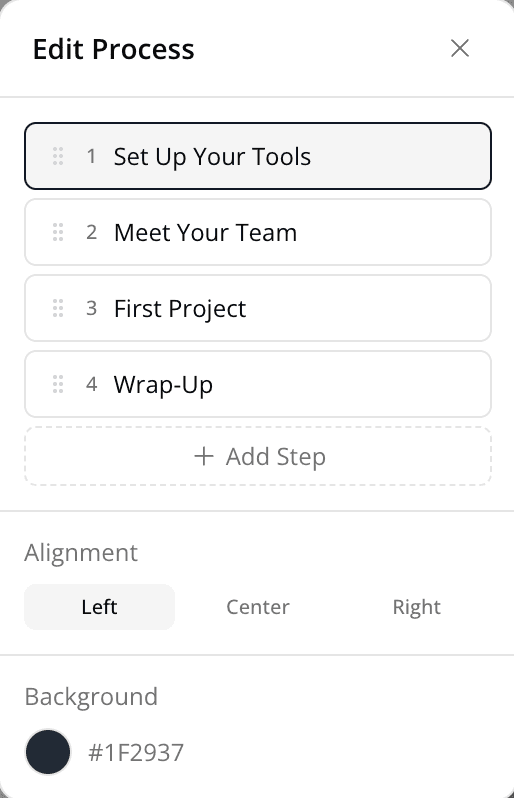
El editor basado en tiles de Mindsmith te da los marcos para crear contenido pulido rápidamente, sin encerrarte en plantillas rígidas. Arrastra elementos interactivos, reorganiza secciones, personaliza el aspecto y deja que la IA se encargue de lo que te frena.
Todos los elementos para que el aprendizaje se fije
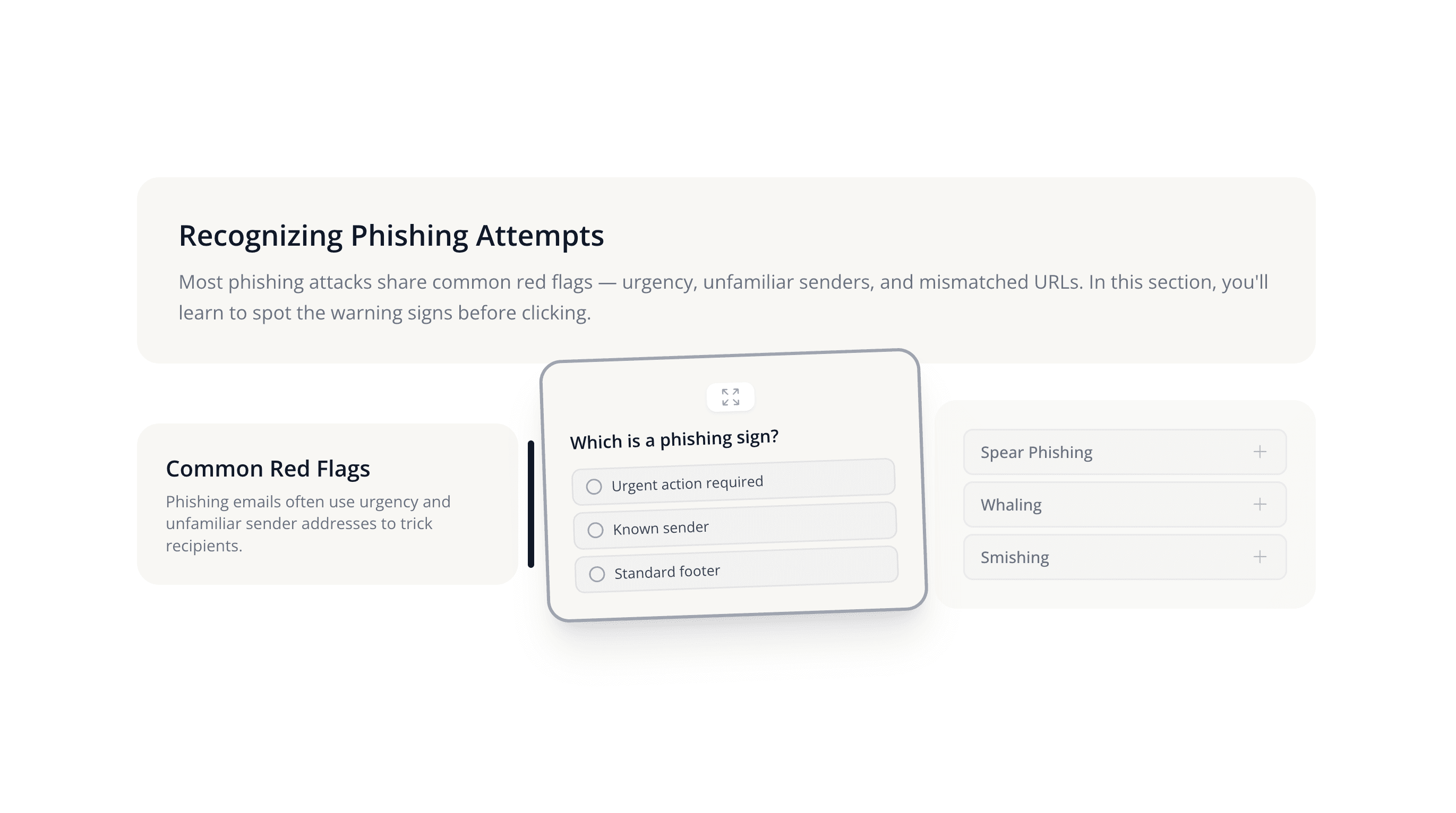
Ve más allá del texto y las imágenes. Mindsmith te da una biblioteca completa de tiles interactivos con arrastrar y soltar, diseñados para el engagement, y todos funcionan bien en cualquier dispositivo.
Rich text with formatting, links, and inline media.
Large page title to introduce a section.
Section heading to structure your content.
Secondary heading for subsections.
Highlight a quote with attribution.
Rows and columns to organize data clearly.
Numbered or bulleted steps and key points.
Highlighted callout box for tips or warnings.
Syntax-highlighted code blocks.
Horizontal rule to separate content.
Blank space to control layout rhythm.
Full-width banner to divide lesson sections.
Visualize events or milestones in sequence.
Photos, illustrations, and graphics.
Before/after slider to compare two images.
Swipeable gallery of multiple images.
Stream or upload video with captions.
Playable audio with transcript support.
Attach downloadable files for learners.
Embed custom HTML, CSS, or JavaScript.
Rich text with formatting, links, and inline media.
Large page title to introduce a section.
Section heading to structure your content.
Secondary heading for subsections.
Highlight a quote with attribution.
Rows and columns to organize data clearly.
Numbered or bulleted steps and key points.
Highlighted callout box for tips or warnings.
Syntax-highlighted code blocks.
Horizontal rule to separate content.
Blank space to control layout rhythm.
Full-width banner to divide lesson sections.
Visualize events or milestones in sequence.
Photos, illustrations, and graphics.
Before/after slider to compare two images.
Swipeable gallery of multiple images.
Stream or upload video with captions.
Playable audio with transcript support.
Attach downloadable files for learners.
Embed custom HTML, CSS, or JavaScript.
Embed external sites, apps, or widgets.
Single-answer quiz with feedback.
Open-ended text response with AI grading.
Star ratings and optional comments.
Check-all-that-apply question format.
Drag to reorder items in the correct sequence.
Pair related items together.
Clickable actions for navigation or links.
Flip cards for study and recall practice.
Expandable sections to reveal content on click.
Tabbed panels to organize grouped content.
Step-by-step walkthrough with intro and outro.
Swipeable one-at-a-time flashcard deck.
Clickable hotspots overlaid on an image.
Drag-and-drop items into the right categories.
Bar, line, pie, and other data visualizations.
AI-powered voice dialogue practice.
Choose-your-own-path decision trees.
Video with text, image, and speaker overlays.
Hands-on, interactive practice.
Embed external sites, apps, or widgets.
Single-answer quiz with feedback.
Open-ended text response with AI grading.
Star ratings and optional comments.
Check-all-that-apply question format.
Drag to reorder items in the correct sequence.
Pair related items together.
Clickable actions for navigation or links.
Flip cards for study and recall practice.
Expandable sections to reveal content on click.
Tabbed panels to organize grouped content.
Step-by-step walkthrough with intro and outro.
Swipeable one-at-a-time flashcard deck.
Clickable hotspots overlaid on an image.
Drag-and-drop items into the right categories.
Bar, line, pie, and other data visualizations.
AI-powered voice dialogue practice.
Choose-your-own-path decision trees.
Video with text, image, and speaker overlays.
Hands-on, interactive practice.
Ve más allá de los tiles con experiencias de aprendizaje inmersivas
Los tiles son los bloques de construcción. Las Experiencias son el siguiente nivel: contenido interactivo y no lineal que pone al estudiante al volante.
Escenarios Ramificados
Crea rutas de aprendizaje tipo 'elige tu aventura' con un editor de nodos visual. Arrastra y conecta puntos de decisión, añade consecuencias y deja que los estudiantes naveguen según sus elecciones.
AI Video
Crea videos explicativos con presentadores generados por IA, superposiciones de texto y edición por escenas: un editor de video ligero para eLearning, dentro de Mindsmith.
Conversaciones con IA
Crea simulaciones de diálogo impulsadas por IA donde los estudiantes practican conversaciones reales como llamadas de venta, feedback difícil y soporte al cliente, con una IA que se adapta a sus respuestas.
Simulaciones de Software
Guía a los estudiantes por flujos de software con grabaciones de pantalla interactivas paso a paso. Los estudiantes hacen clic en la interfaz real en lugar de ver un video.
Un co-autor con IA que te hace mejor, no solo más rápido
Feedback de autoría en tiempo real
La IA de Mindsmith revisa tu contenido para claridad de frases, consistencia de tono, alineación instruccional y accesibilidad, y detecta problemas antes que tus estudiantes.
Corrección de evaluaciones con IA
Crea preguntas de respuesta corta y deja que la IA califique respuestas libres. Los estudiantes reciben feedback significativo en respuestas abiertas, no solo "correcto" o "incorrecto".
Narración y audio con IA
Genera narración profesional para cualquier lección con voces de IA de ElevenLabs y OpenAI. Elige entre varias voces y acentos. Sin estudio de grabación.
Generación de imágenes con IA
Crea visuales personalizados directamente en el editor con modelos de última generación. ¿Necesitas una ilustración para un escenario de seguridad? Genérala en segundos en vez de buscar en bibliotecas de stock.
Storyboard your lessons before diving into details
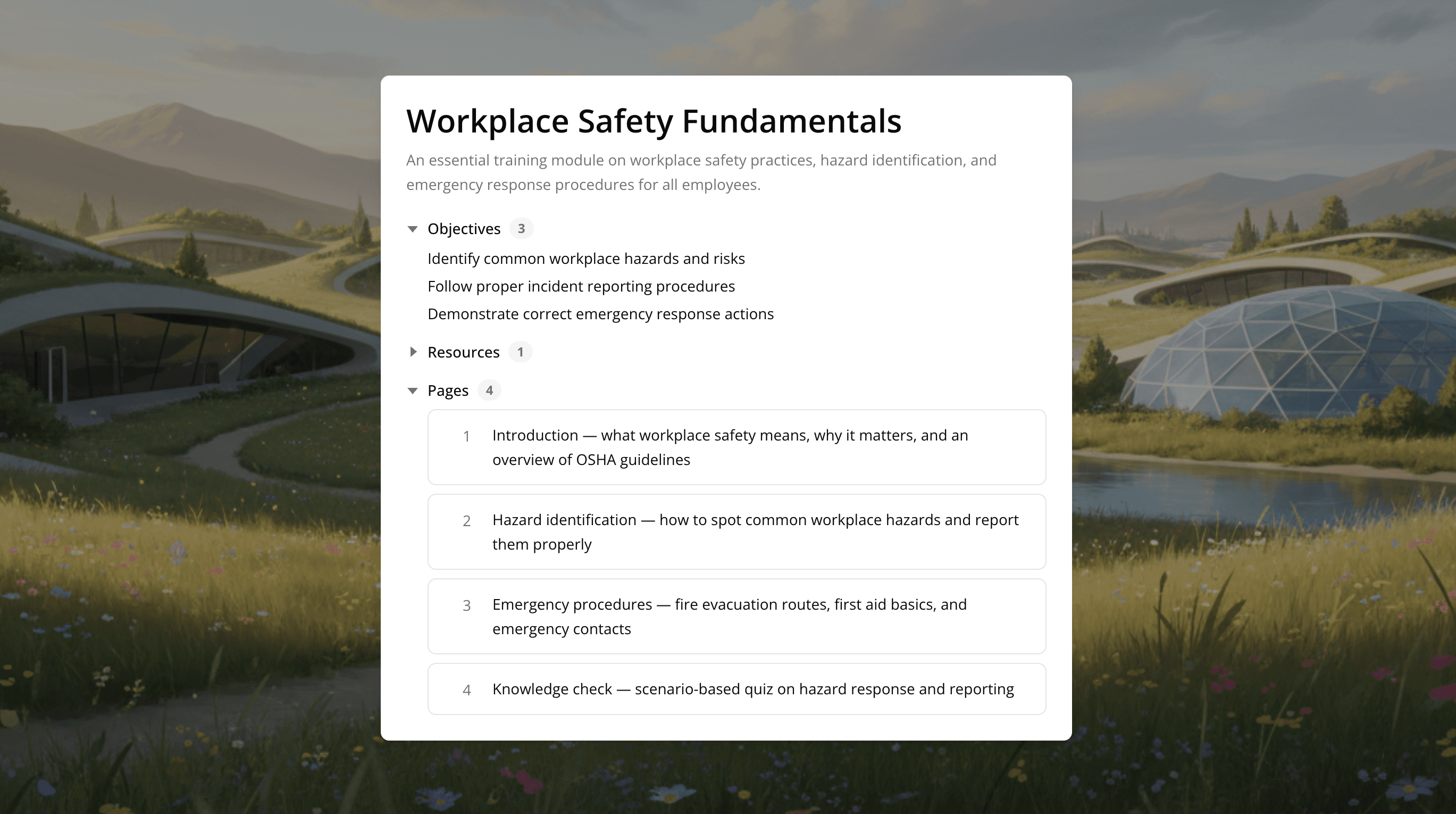
Start with structure, not slides. Mindsmith's storyboard lets you map out your lesson flow — objectives, sections, key interactions — before you commit to content. Rearrange, iterate, and get the shape right first. When you're ready, convert your storyboard into a full lesson with one click.
Co-crea en tiempo real. Revisa sin cadenas de email.
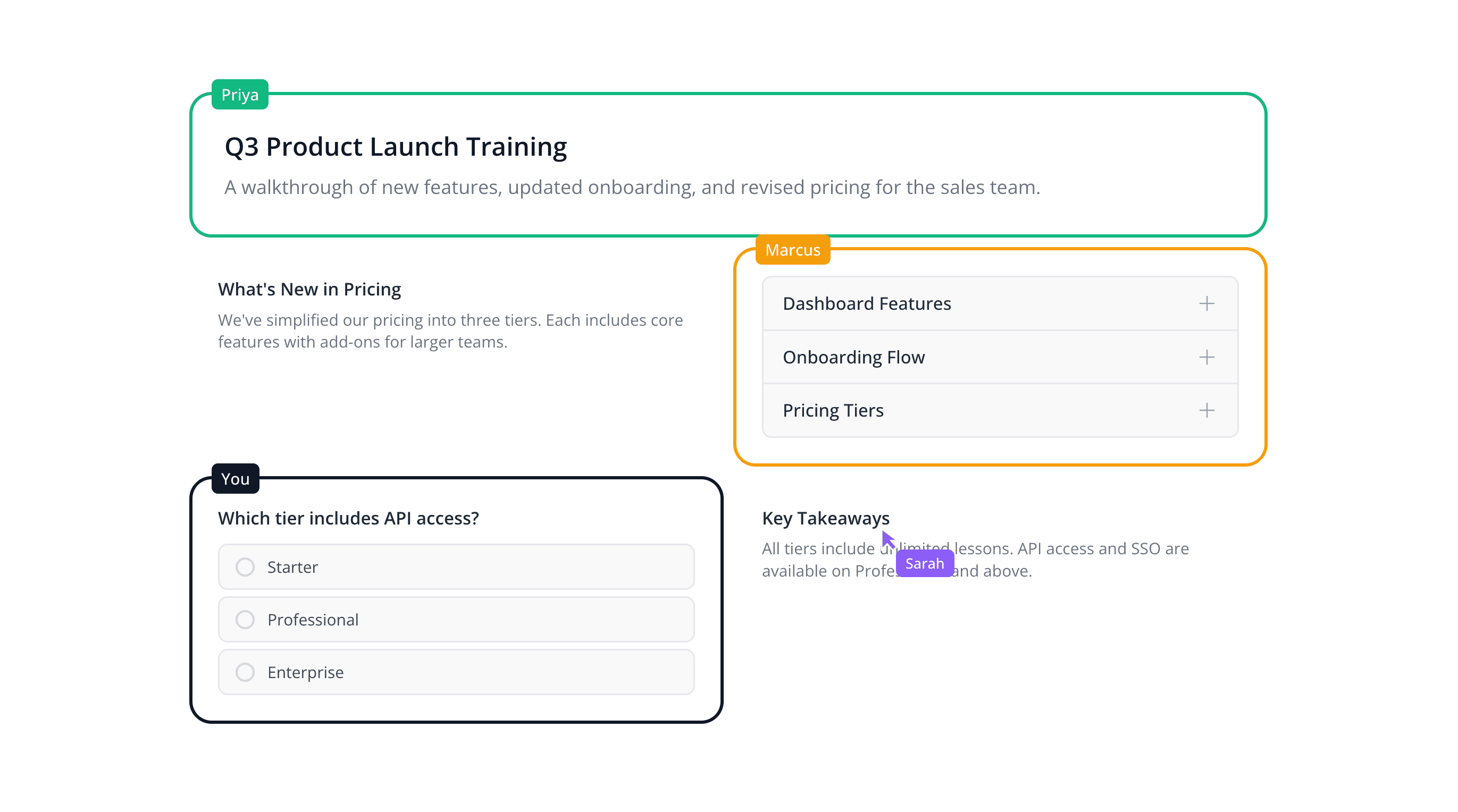
Co-autoría en tiempo real
Varios autores pueden editar la misma lección al mismo tiempo. Ve cursores en vivo, sigue quién está trabajando dónde y evita conflictos de versión.

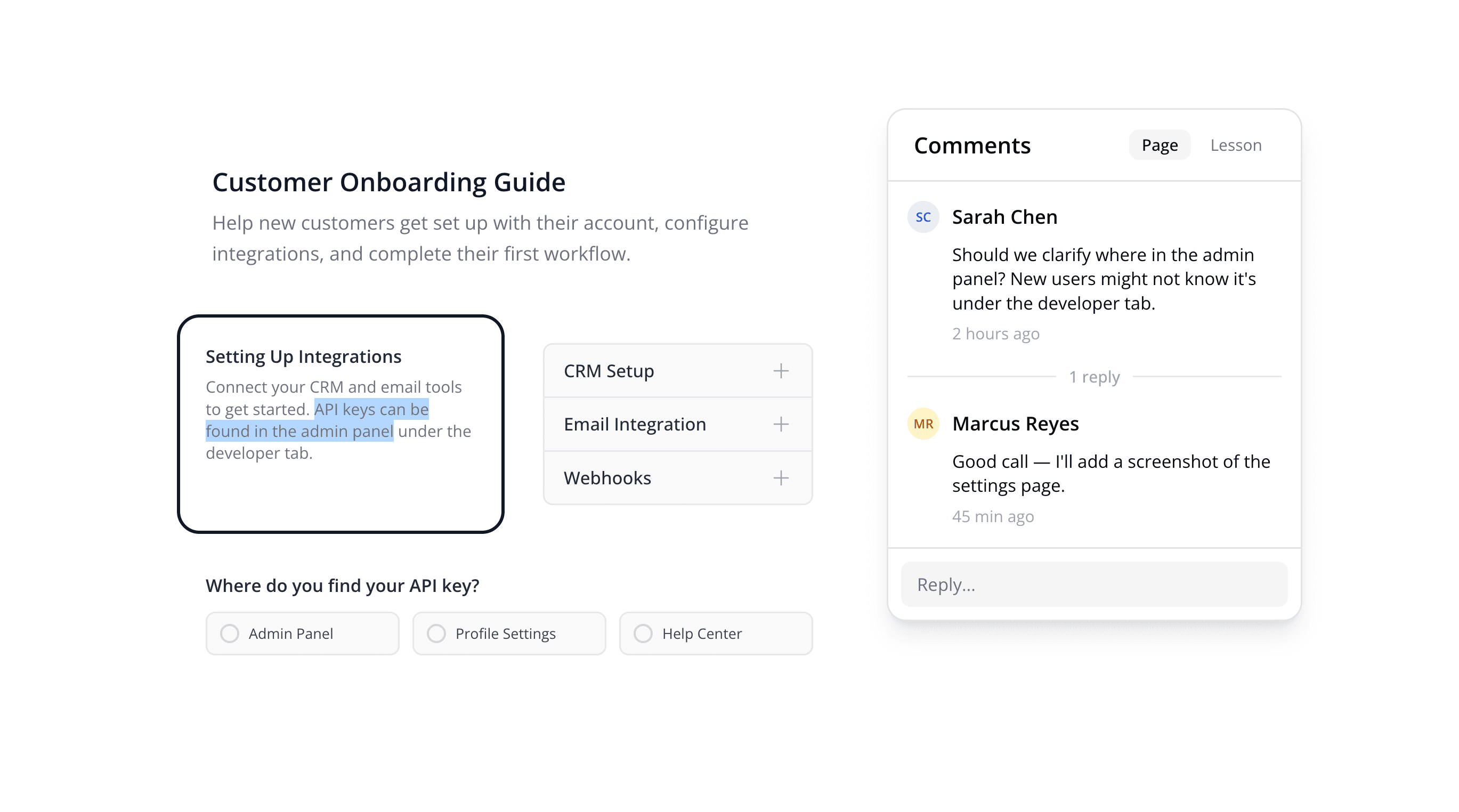
Review & comment workflows
Share a review link with stakeholders. They can leave comments directly on specific elements, so there's no more "see page 12, third bullet" in email threads.
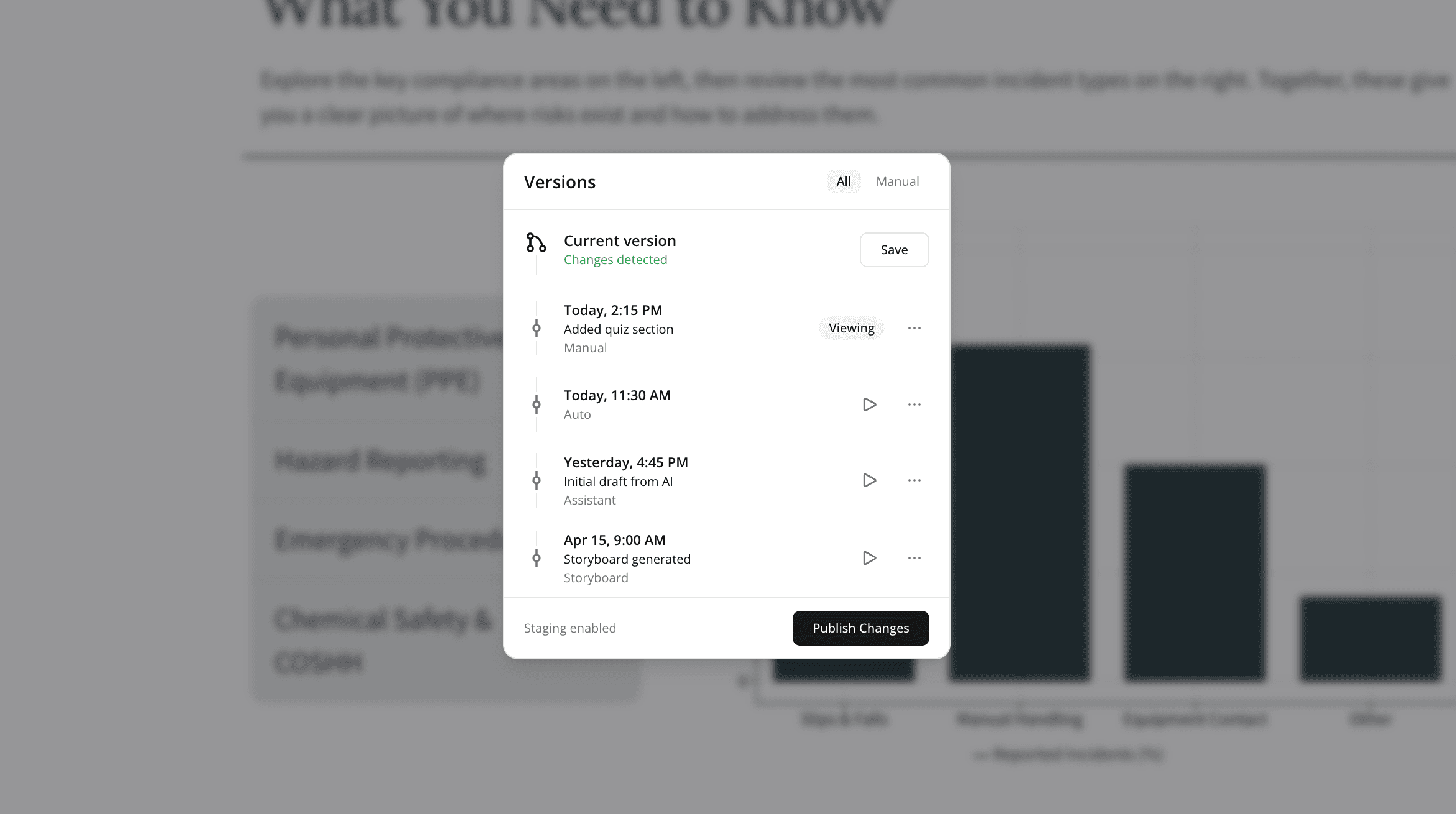
Historial de versiones e instantáneas
Mindsmith guarda automáticamente instantáneas de versiones mientras trabajas. Vuelve a cualquier versión anterior si una edición se tuerce. Experimenta con libertad.
Permissions & access control
Control who can edit, review, or just view. Role-based permissions keep your content secure without slowing down collaboration.
Contenido profesional y con tu marca, sin diseñador
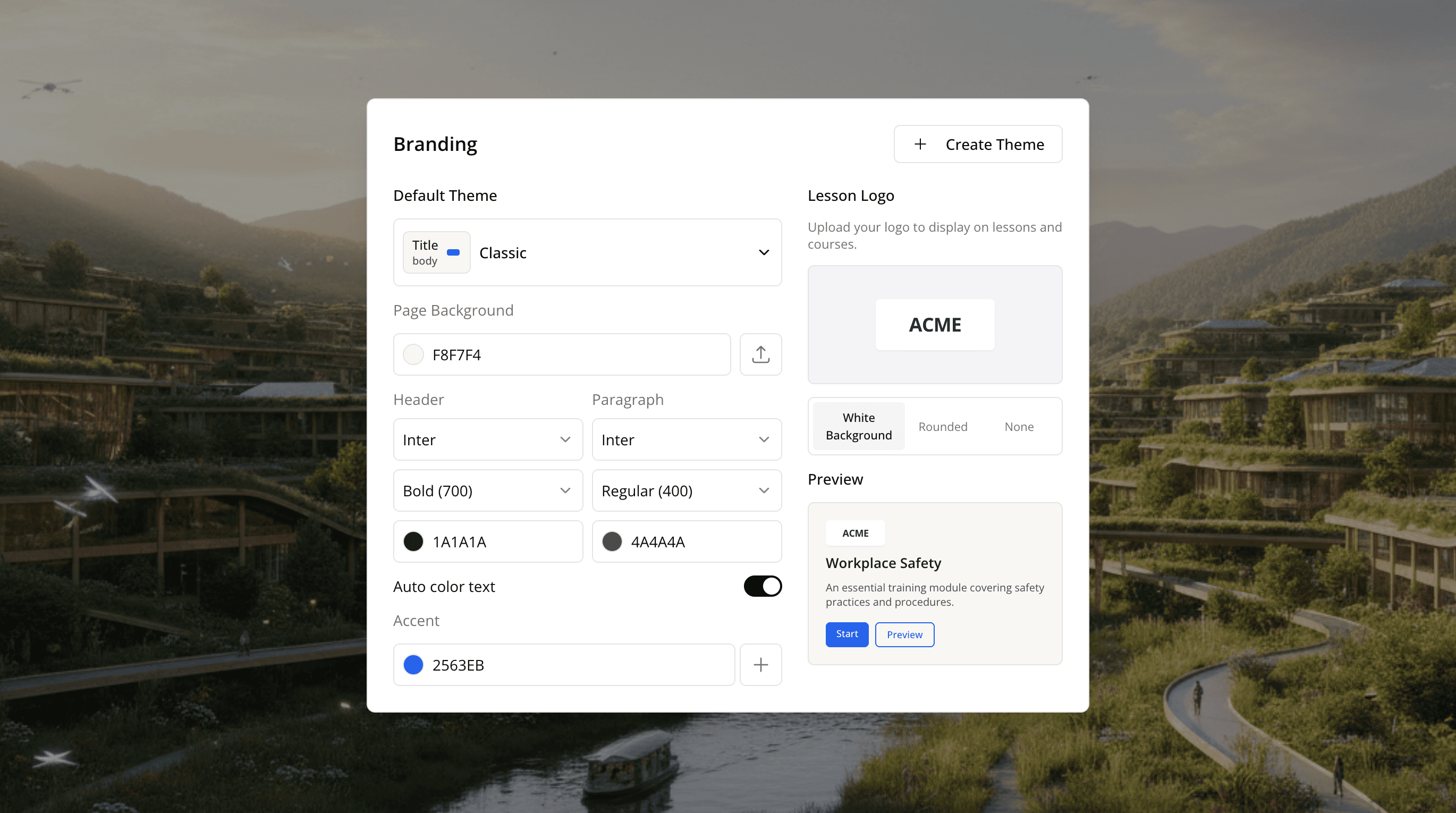
Mindsmith's Smart Branding Engine applies your brand identity across every lesson automatically. Set your colors, fonts, logo, and button styles once — then every new lesson starts on-brand.
- Set your brand kit once — every new lesson starts on-brand automatically
- Personaliza colores, fuentes, logos y estilos de botón globalmente
- Sobrescribe temas por lección cuando necesites un aspecto diferente
- Comprobaciones de contraste y modo oscuro integrados para diseños accesibles
Organize lessons into structured learning paths
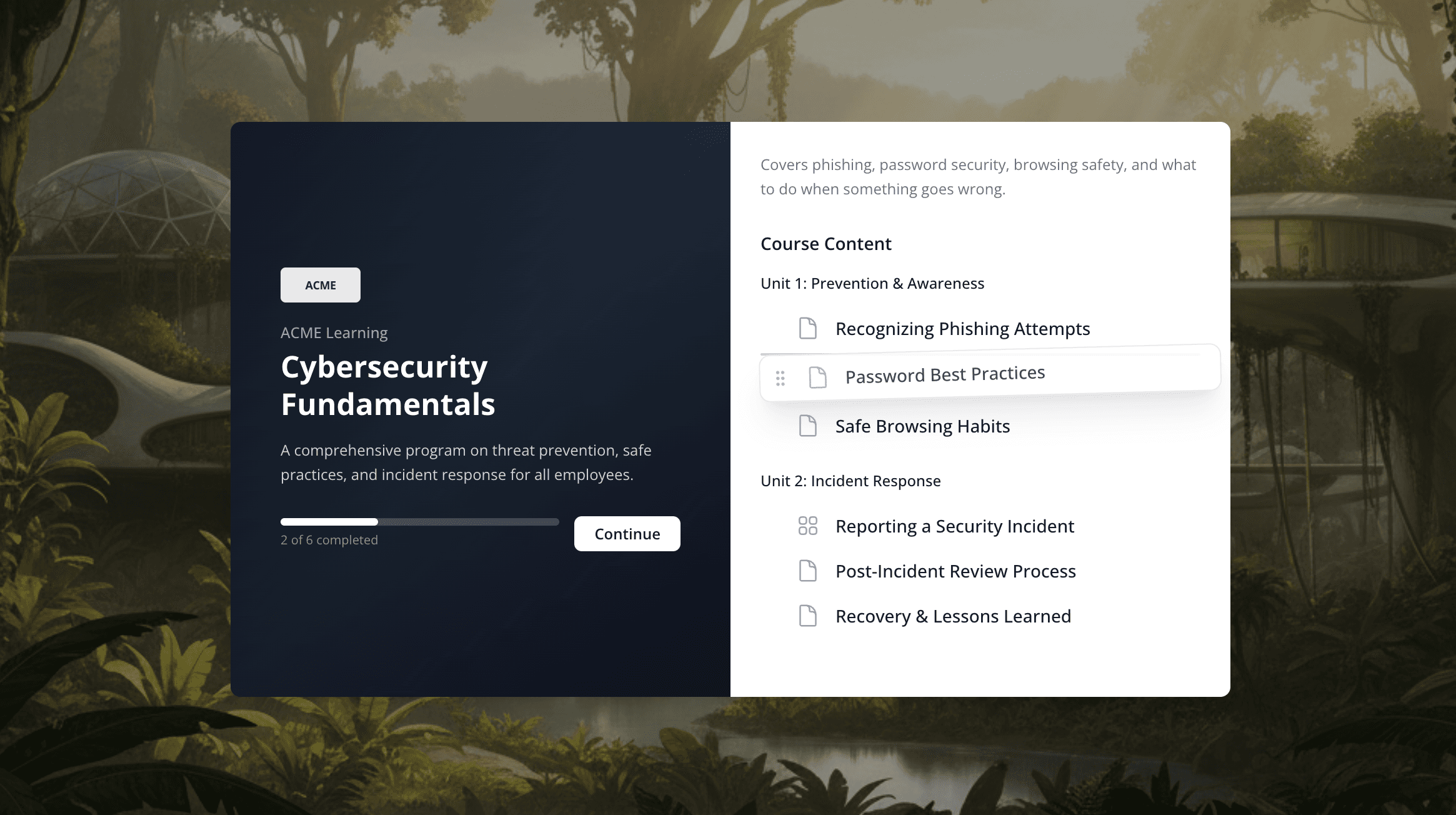
Group lessons into courses with units, drag-and-drop ordering, and a visual course overview. Mindsmith's AI can help you generate an entire course structure from your source documents — or build it manually, lesson by lesson.
- Organize lessons into units with drag-and-drop reordering
- Sube documentos y deja que la IA redacte el esquema del curso
- Gestiona cursos visualmente en vista de cuadrícula o lista
Autoría tradicional vs. el enfoque de IA nativa de Mindsmith
La diferencia no es una lista de funciones más larga. Es si la IA está añadida o integrada, y eso cambia el trabajo diario de crear un curso.
| Capacidad | Herramientas de autoría tradicionales | Mindsmith |
|---|---|---|
| Punto de partida | Un lienzo en blanco o una plantilla rígida | Genera un primer borrador a partir de un documento, prompt o esquema |
| Contenido interactivo | Complementos o programación manual | Más de 30 elementos interactivos integrados, listos para arrastrar y soltar |
| Mantener la marca | Estilizado manual en cada lección | El Smart Branding Engine aplica tu kit automáticamente |
| Feedback de evaluaciones | Solo puntuación correcto/incorrecto | La IA califica respuestas abiertas con feedback real |
| Localización | Exportar, traducir y volver a importar | Traducción con IA a más de 70 idiomas con un clic |
| Colaboración | Traspaso de archivos y revisión por email | Co-autoría en tiempo real y comentarios en contexto |
| Distribución | Software instalado y reproductores de escritorio | Funciona en el navegador; comparte un enlace o exporta SCORM |
Las comparaciones describen patrones comunes de las herramientas de autoría heredadas, no un producto específico.
Una plataforma de eLearning, para cada tipo de creador de cursos
Mindsmith se adapta a cómo los equipos crean formación de verdad, desde un solo experto en la materia hasta un departamento de aprendizaje completo.
Equipos de L&D corporativos
Despliega formación de onboarding, cumplimiento y producto como eLearning corporativo que conserva tu marca en cada departamento, sin esperar a una agencia ni a un diseñador freelance.
Educadores y formadores
Convierte apuntes y documentos fuente en cursos interactivos. El creador de cursos con IA de Mindsmith redacta la estructura, para que tu tiempo vaya a enseñar en lugar de pelearte con el formato.
Expertos en la materia
Tú conoces la materia; Mindsmith se encarga del diseño. Describe lo que necesitan los estudiantes y la IA redacta una lección con aspecto de producción profesional.
Equipos de formación en crecimiento
Como Mindsmith es software de eLearning en la nube, la co-autoría, la marca compartida y el historial de versiones vienen de serie, para que la calidad se mantenga a medida que crecen tu equipo y tu catálogo de cursos.
Se ve genial en escritorio, tablet y móvil, automáticamente
Cada lección es responsive desde el primer momento. Sin versión móvil aparte que mantener.
Y cuando termines de crear...
Preguntas sobre software de eLearning, respondidas
Trusted by leading
eLearning teams
“The biggest draw for me is the flexibility and scalability Mindsmith offers. It's something I've never seen before in a learning platform. This tool has significantly improved my workflow.”
Satarla
Miranda
