Pricing
Sign inBook a DemoStart Free
Start Free
Sign in
Book a DemoStart Free
Pricing

What we offer

AuthoringExperiencesVideo ConversionCustom VideoConversationsTranslationSharing & IntegrationsAnalyticsAccessibility

Featured case

Laing O'RourkeVan Den Bosch
View All Case Studies

Support

Help CenterTrust Portal

Learn

TemplatesBlogUpdatesCommunity
About UsPartnersCareers

Why Mindsmith

vs. EasyGenerator

The AI-native authoring studio for designers who take the craft seriously.

Product

  • Authoring
  • Pricing
  • Compare

Resources

  • Blog
  • Updates
  • Help Center
  • Trust Portal
  • Status

Company

  • About
  • Partners
  • Careers
  • Case Studies

Community

  • Slack Community

© 2026 Mindsmith. All rights reserved.

PrivacyTerms
Pricing
Sign inBook a DemoStart Free
Start Free
Sign in
Book a DemoStart Free
Pricing

What we offer

AuthoringExperiencesVideo ConversionCustom VideoConversationsTranslationSharing & IntegrationsAnalyticsAccessibility

Featured case

Laing O'RourkeVan Den Bosch
View All Case Studies

Support

Help CenterTrust Portal

Learn

TemplatesBlogUpdatesCommunity
About UsPartnersCareers

Why Mindsmith

vs. EasyGenerator

The AI-native authoring studio for designers who take the craft seriously.

Product

  • Authoring
  • Pricing
  • Compare

Resources

  • Blog
  • Updates
  • Help Center
  • Trust Portal
  • Status

Company

  • About
  • Partners
  • Careers
  • Case Studies

Community

  • Slack Community

© 2026 Mindsmith. All rights reserved.

PrivacyTerms
Pricing
Sign inBook a DemoStart Free
Start Free
Sign in
Book a DemoStart Free
Pricing

What we offer

AuthoringExperiencesVideo ConversionCustom VideoConversationsTranslationSharing & IntegrationsAnalyticsAccessibility

Featured case

Laing O'RourkeVan Den Bosch
View All Case Studies

Support

Help CenterTrust Portal

Learn

TemplatesBlogUpdatesCommunity
About UsPartnersCareers

Why Mindsmith

vs. EasyGenerator
Back to Updates
July 24, 2026

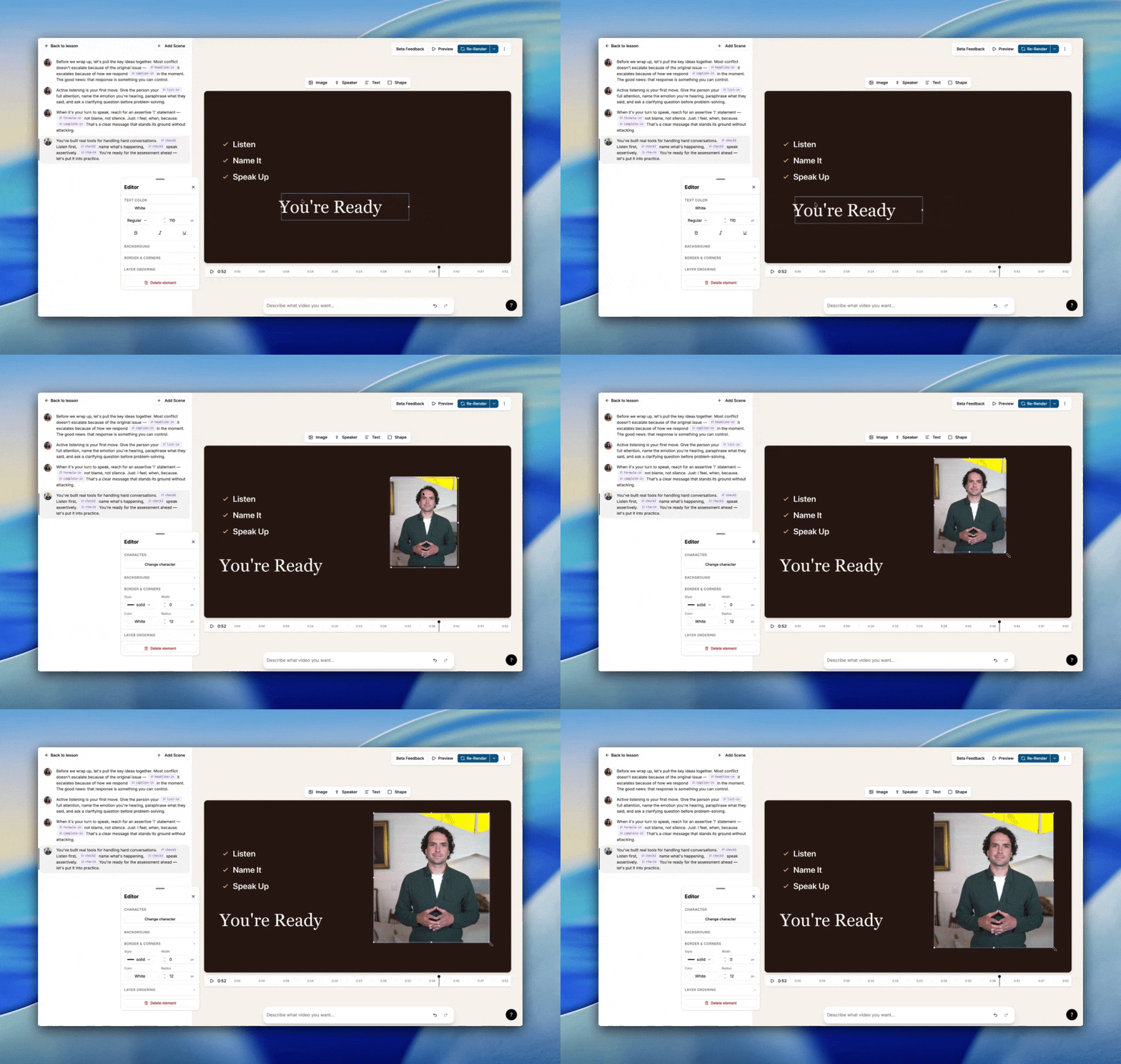
Edit Mindsmith Video V2 directly — no AI required

Make changes to your video instantly: edit text, images, and elements in place, add new scenes, insert shapes, and reorder overlapping elements without waiting on AI.

Direct editing in Mindsmith Video V2 editor

Mindsmith Video V2 now lets you edit directly — click any element and change it immediately, with no need to describe the edit to the AI or wait on a generation cycle.

  • Edit text, images, and on-screen elements in place, instantly — no AI generation cycle needed.
  • Add new scenes, insert shapes, and reorder overlapping elements for more polished custom videos.
  • AI-generated videos now render automatically as the agent's final step — no manual Render click needed.
  • New AI-created videos default to the V2 animated style, including on-camera presenter requests. Existing videos and manual renders are unaffected.
Back to all updates

The AI-native authoring studio for designers who take the craft seriously.

Product

  • Authoring
  • Pricing
  • Compare

Resources

  • Blog
  • Updates
  • Help Center
  • Trust Portal
  • Status

Company

  • About
  • Partners
  • Careers
  • Case Studies

Community

  • Slack Community

© 2026 Mindsmith. All rights reserved.

PrivacyTerms