Pricing
Sign inBook a DemoStart Free
Start Free
Sign in
Book a DemoStart Free
Pricing

What we offer

AuthoringExperiencesVideo ConversionCustom VideoConversationsTranslationSharing & IntegrationsAnalyticsAccessibility

Featured case

Laing O'RourkeVan Den Bosch
View All Case Studies

Support

Help CenterTrust Portal

Learn

TemplatesBlogUpdatesCommunity
About UsPartnersCareers

Why Mindsmith

vs. EasyGenerator

The AI-native authoring studio for designers who take the craft seriously.

Product

  • Authoring
  • Pricing
  • Compare

Resources

  • Blog
  • Updates
  • Help Center
  • Trust Portal
  • Status

Company

  • About
  • Partners
  • Careers
  • Case Studies

Community

  • Slack Community

© 2026 Mindsmith. All rights reserved.

PrivacyTerms
Pricing
Sign inBook a DemoStart Free
Start Free
Sign in
Book a DemoStart Free
Pricing

What we offer

AuthoringExperiencesVideo ConversionCustom VideoConversationsTranslationSharing & IntegrationsAnalyticsAccessibility

Featured case

Laing O'RourkeVan Den Bosch
View All Case Studies

Support

Help CenterTrust Portal

Learn

TemplatesBlogUpdatesCommunity
About UsPartnersCareers

Why Mindsmith

vs. EasyGenerator

The AI-native authoring studio for designers who take the craft seriously.

Product

  • Authoring
  • Pricing
  • Compare

Resources

  • Blog
  • Updates
  • Help Center
  • Trust Portal
  • Status

Company

  • About
  • Partners
  • Careers
  • Case Studies

Community

  • Slack Community

© 2026 Mindsmith. All rights reserved.

PrivacyTerms
Pricing
Sign inBook a DemoStart Free
Start Free
Sign in
Book a DemoStart Free
Pricing

What we offer

AuthoringExperiencesVideo ConversionCustom VideoConversationsTranslationSharing & IntegrationsAnalyticsAccessibility

Featured case

Laing O'RourkeVan Den Bosch
View All Case Studies

Support

Help CenterTrust Portal

Learn

TemplatesBlogUpdatesCommunity
About UsPartnersCareers

Why Mindsmith

vs. EasyGenerator
Back to Updates
June 4, 2026

Drag-and-drop image cropping with rule-of-thirds guides

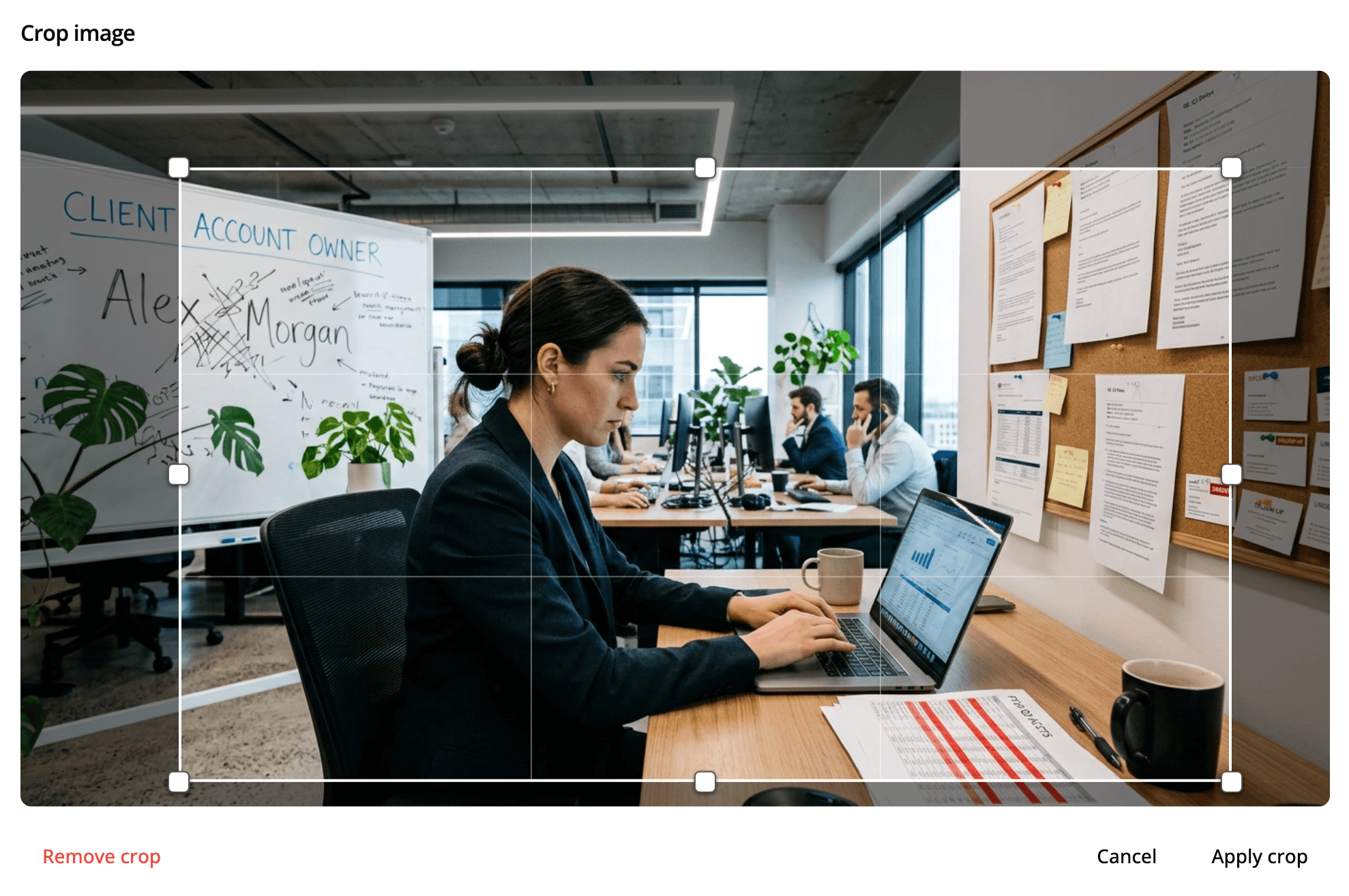
Authors can now crop any image in the editor using a drag-and-drop crop dialog with rule-of-thirds guides for precise framing.

Drag-and-drop image cropping with rule-of-thirds guides

A new crop dialog is available for any image in the editor. Drag the crop handles to frame the image exactly how you want it, with a rule-of-thirds overlay to help with composition. The original file is preserved — you can re-open the dialog and adjust the crop at any time. Cropping works across standard image formats as well as animated GIF and WebP files.

Back to all updates

The AI-native authoring studio for designers who take the craft seriously.

Product

  • Authoring
  • Pricing
  • Compare

Resources

  • Blog
  • Updates
  • Help Center
  • Trust Portal
  • Status

Company

  • About
  • Partners
  • Careers
  • Case Studies

Community

  • Slack Community

© 2026 Mindsmith. All rights reserved.

PrivacyTerms