Reviewing a translation used to mean exporting XLIFF, editing it in another tool and importing it back. Now each language in a lesson's or course's Settings › Localization has a Review button. It opens the translation side by side with the original, so reviewers can fix text in place and save. A preview shows each page in that language and follows along as you scroll, and each row names the exact field it edits, such as a table cell or an image's alt text.
Back to Updates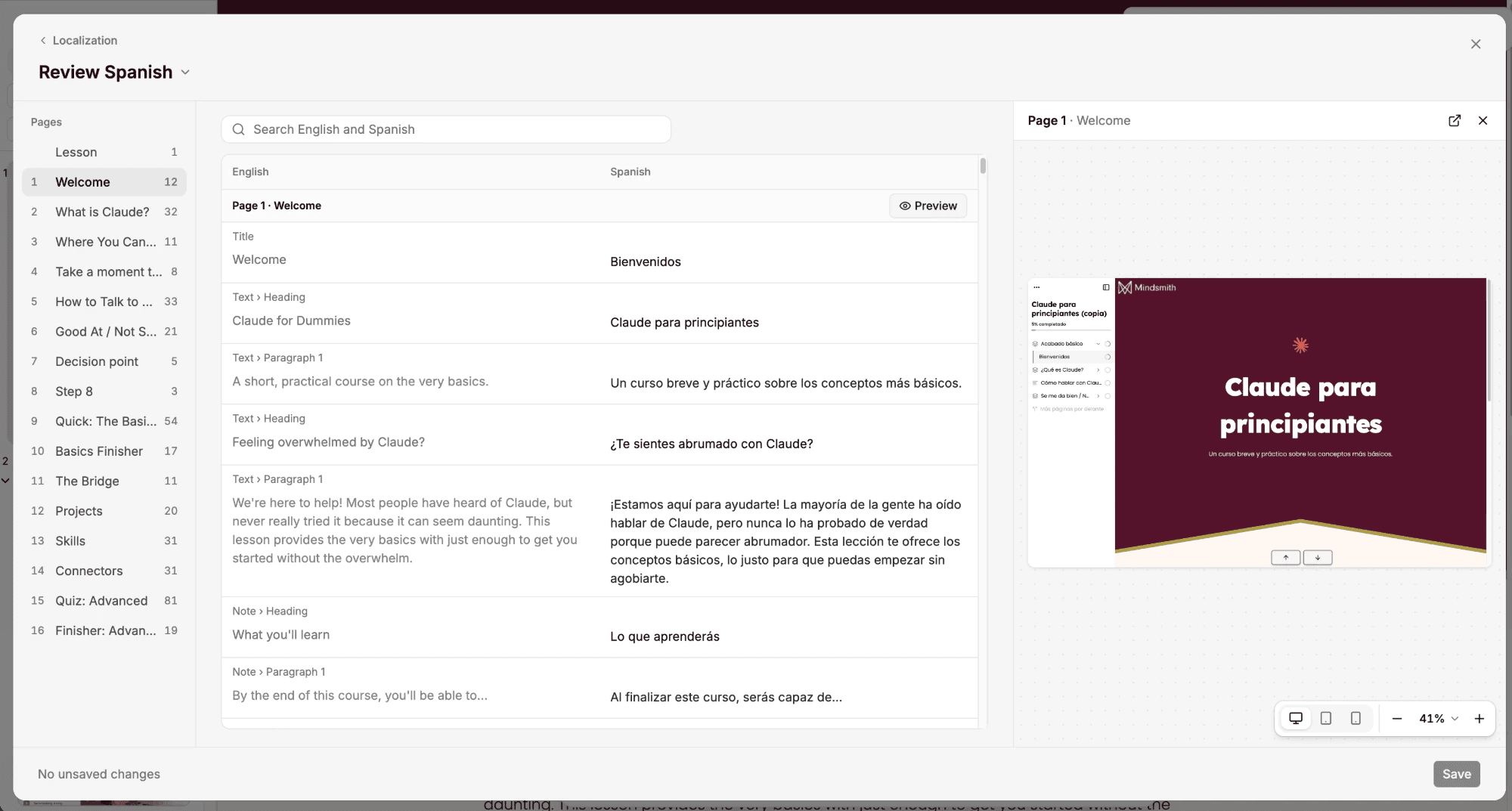
Review and edit translations side by side
Review a lesson or course translation next to the original, fix text in place, and preview each page in that language. No XLIFF round trip.